


Guides10 min read
How to Cut Rekeying in Carrier Portals with AI
Reduce carrier portal rekeying with AI that extracts ACORD data and powers automated carrier submissions across portals.

Duet Team

We've been using Claude Code every day for months. Initially, it was chaos.
Claude would overwrite work it shouldn't touch. Ignore instructions we'd given five minutes earlier. Generate walls of output when a few sentences would've done the job. And the longer a session went, the more it drifted — confidently wrong about things that were true 20 minutes ago.
The model wasn't the problem. Our setup was.
So we built a system that works — and we're giving it away. Every person on the Duet team runs a version of this, and it just works. No coding experience required.
TLDR;
CLAUDE.md file that makes Claude behave consistently every single timeYou've tried Claude Code a few times. You think it's powerful but unpredictable. Some sessions are magic, others are a mess. You're tired of re-explaining the same things, or getting outputs that miss the mark.
This is the fix. And you don't need to be a developer to use it. If you haven't used Claude Code at all yet, start with The Ultimate Beginner's Guide first.
Three gaps that explain 90% of bad sessions:
1. Nothing is written down.
Your brand voice, project context, preferences — they live in your head. Claude can't read minds. If your standards aren't in a file, Claude invents its own. Every time.
2. Everyone starts from scratch.
Every new session, you re-explain the same context. "Here's our brand voice. Here's our audience. Here's what we did last time." It's exhausting and the quality is inconsistent.
3. Context degrades over time.
Long sessions accumulate stale information. Claude starts referencing things from 30 minutes ago that aren't true anymore. Confidence stays high. Accuracy drops. You don't notice until you read the output closely.
The fix isn't better prompting. It's a system.
CLAUDE.md is a file that Claude Code reads automatically at the start of every conversation. Think of it as a brief you'd write for a new freelancer — except this one actually gets read. Every. Single. Time.
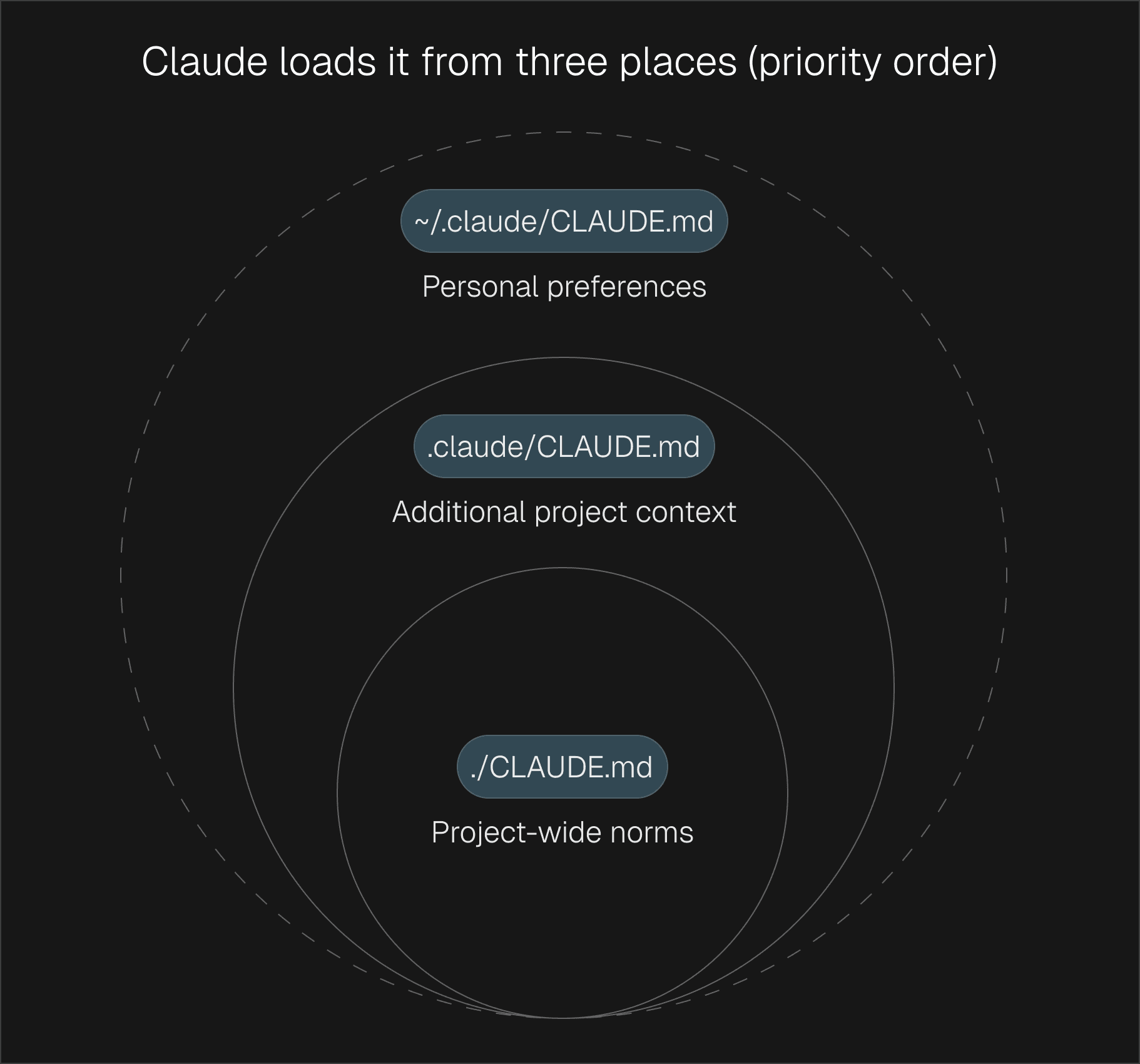
Claude loads it from three places:
CLAUDE.md in your project folder — shared context for your whole team.claude/CLAUDE.md — additional project details~/.claude/CLAUDE.md — your personal preferences (stays local to you)Keep it focused on five things:
Project Overview: What is this project? What are we working on?
"Duet is a marketing platform for technical founders. Our audience is small teams under 10 people. Tone is direct, no-fluff, value-first."
Key Context: What does Claude need to know to do good work?
"Our brand voice is conversational but authoritative. We never use corporate jargon. We target technical founders, not enterprise buyers."
Preferences: How should Claude approach tasks?
"Keep outputs concise. Use bullet points over paragraphs. Always ask before making major changes to existing content."
Reference Files: Where should Claude look for more detail?
"Brand voice guidelines are in
00_foundation/brand-voice/. Checkraw-context/for customer research and call notes."
Do-Not List: What should Claude avoid?
"Never use buzzwords like 'synergy' or 'leverage.' Never publish content without review. Never change the brand voice doc without asking."
This matters more than people think. CLAUDE.md loads into every conversation. The bigger it gets, the more space it takes up before you've even asked your first question. Aim for under 15KB. If it's growing past that, break things into separate files in .claude/rules/ — they'll load automatically but only when relevant.
This one addition will save you more frustration than everything else in this section combined:
## Definition of Done
- Output matches our brand voice
- Content is reviewed before publishing
- Sources are cited where applicable
- Formatting follows our style guide
- No placeholder text left in final output
Without this, Claude declares work "complete" prematurely. With it, Claude has a concrete checklist to hit. Simple as that.
Every time you type "write me a LinkedIn post about our new feature," you get slightly different results. The wording varies, the context changes, and Claude interprets it differently each time.
Commands fix this.
Commands are simple text files in .claude/commands/ that become slash commands. The file name becomes the command name. The file content is the prompt. Everyone on your team gets identical, repeatable behavior.
.claude/commands/
  blog-outline.md
  linkedin-post.md
  email-draft.md
  competitor-brief.md
  weekly-report.md
  content-review.md
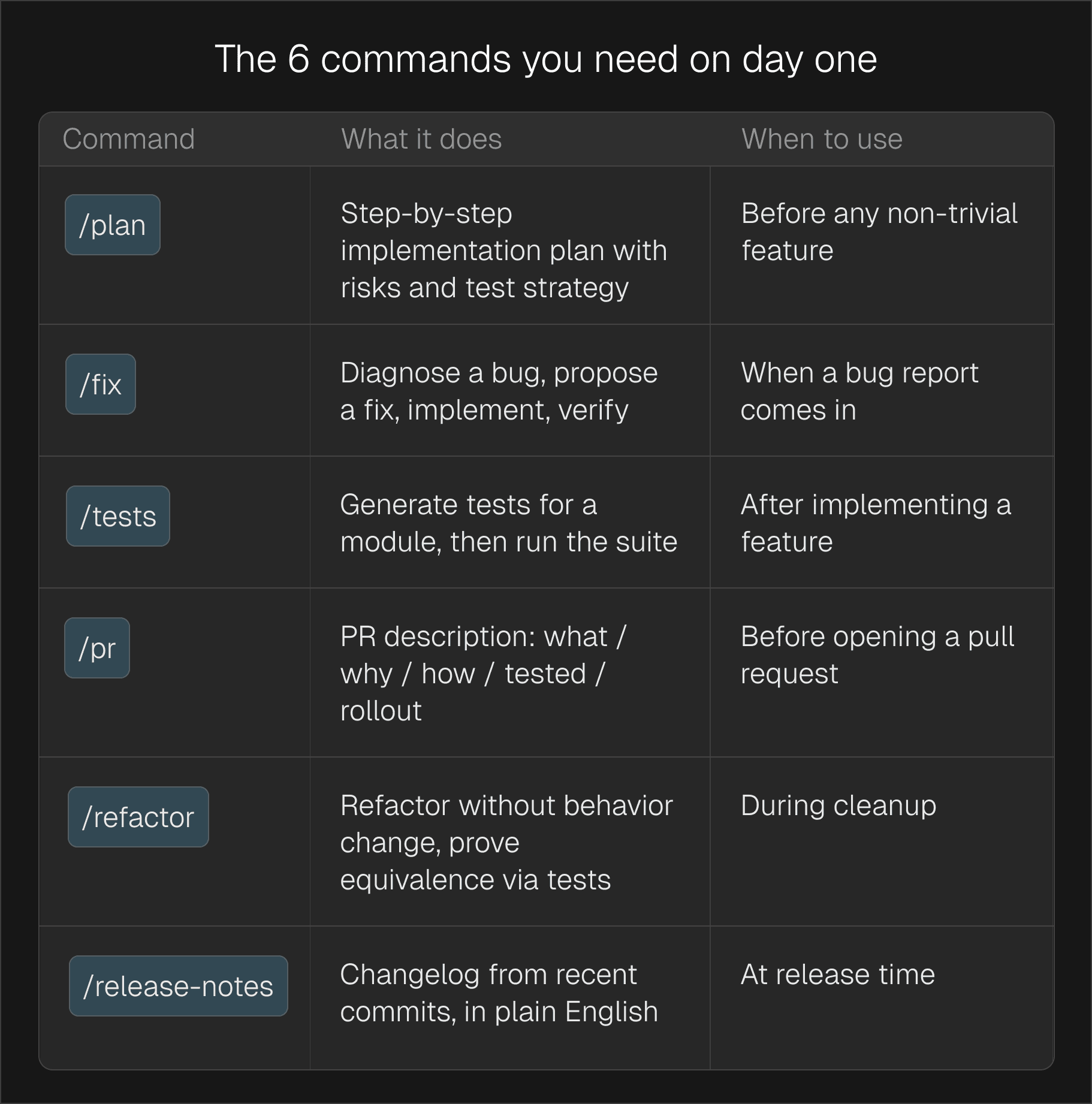
| Command | What it does | When to use |
|---|---|---|
/blog-outline | Creates a structured blog outline with key points and CTA | Starting any new article |
/linkedin-post | Drafts a LinkedIn post in your brand voice with a hook and CTA | Daily or weekly content creation |
/email-draft | Writes an email sequence or one-off email following your templates | Outreach, nurture sequences, announcements |
/competitor-brief | Researches a competitor and produces a structured comparison | Before writing comparison pages or sales material |
/weekly-report | Summarizes this week's activity, metrics, and next steps | Monday planning or Friday wrap-up |
/content-review | Reviews any content for brand voice, clarity, and effectiveness | Before publishing anything |
These are starting points. Create commands for anything you do repeatedly.
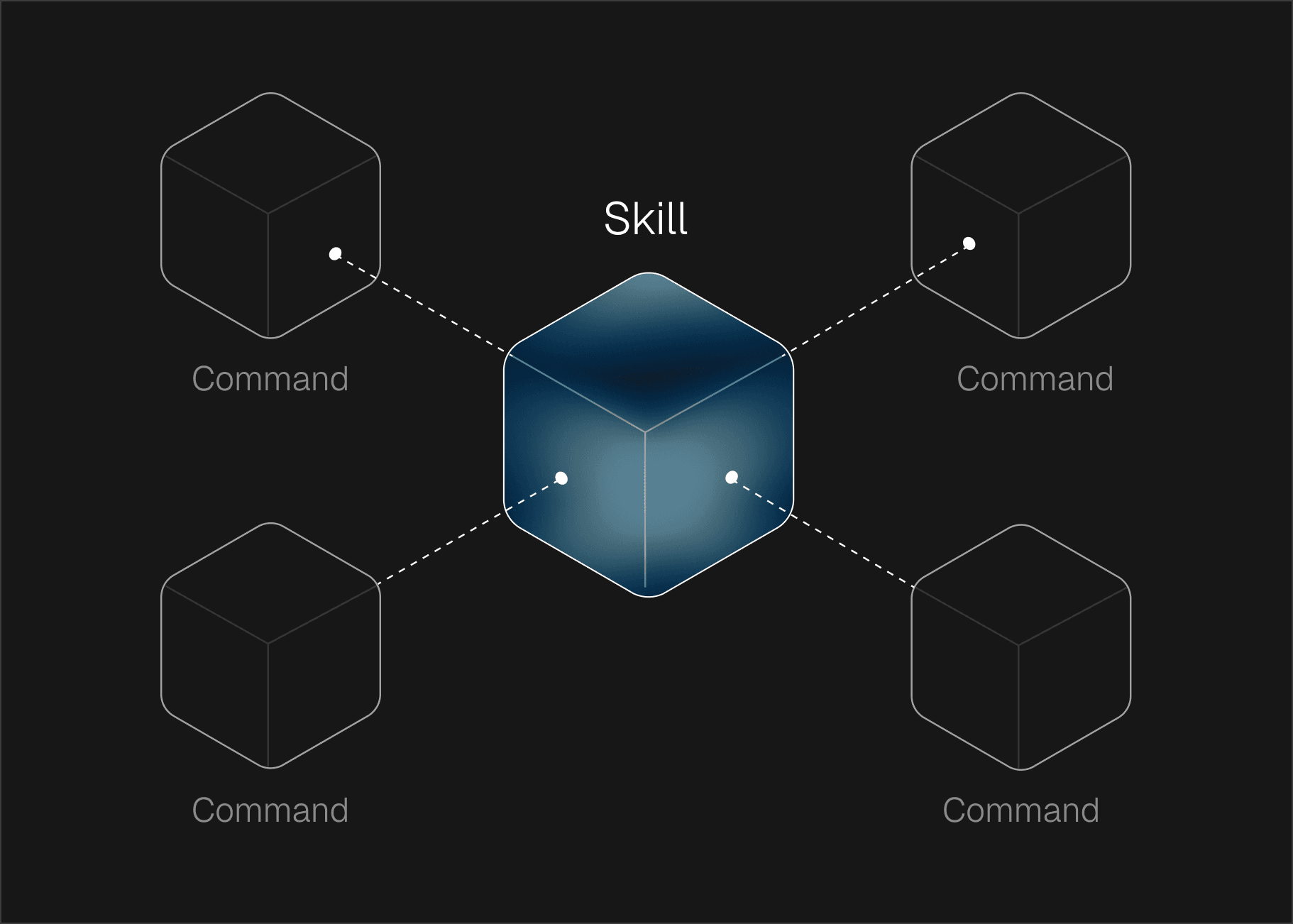
This trips people up, so here's the simple version:
Commands are buttons you press. You type /linkedin-post and it runs. Explicit. Intentional. You decide when to use them.
Skills are expertise that activates automatically. Claude reads the skill description at startup. When your conversation matches a skill's domain — say, you ask about email sequences — the full skill instructions load automatically. You don't have to remember to trigger them.
Commands live in .claude/commands/ (single files). Skills live in .claude/skills/ (folders with supporting reference material).
Use commands for repeatable workflows. Use skills for domain expertise.
For example, you might have a /linkedin-post command that kicks off the writing process, while a social-content skill ensures Claude always knows best practices for LinkedIn formatting, hooks, and engagement — without you having to explain it.
Skills are the most powerful — and most underused — feature in Claude Code. They turn Claude from a general-purpose assistant into a domain expert. For the full technical breakdown of how skills compare to tools and MCP, see Agent Skills 101.
A skill is a folder containing:
SKILL.md — the core instruction file with frameworks, best practices, and decision logicWhen Claude detects that your conversation matches a skill's domain, it automatically loads the full instructions. No prompting needed.
Without skills, every time you ask Claude to write marketing copy, you have to re-explain your frameworks, your audience, your voice. With skills, all of that is pre-loaded. Claude writes like someone who's read your entire marketing playbook — because it has.
Say you have these skills installed:
copywriting — your copy frameworks, persuasion patterns, CTA formulasbrand-voice — tone, vocabulary, dos and don'tsemail-sequence — drip campaign best practices, subject line templatesWhen you say "write a welcome email sequence for new trial users," Claude automatically loads the email-sequence skill, cross-references your brand voice, and applies your copy frameworks. You get a polished output on the first try — not the third.
You don't need to be technical. A skill is just a markdown file with clear instructions:
# Skill: Blog Writing

## When to activate
When the user asks to write, outline, or edit a blog post.

## Instructions
- Always start with a hook that addresses a specific pain point
- Use short paragraphs (2-3 sentences max)
- Include a clear CTA at the end
- Reference our customer research in raw-context/ for real examples
- Follow our brand voice: conversational, direct, no jargon

## Templates
[Include your blog post template here]
Drop this in .claude/skills/blog-writing/SKILL.md and Claude picks it up automatically. For a deeper look at building a shared skill library that works across Claude.ai, the API, and the Agent SDK, see Beyond Claude Code: Building a Shared Skill Library.
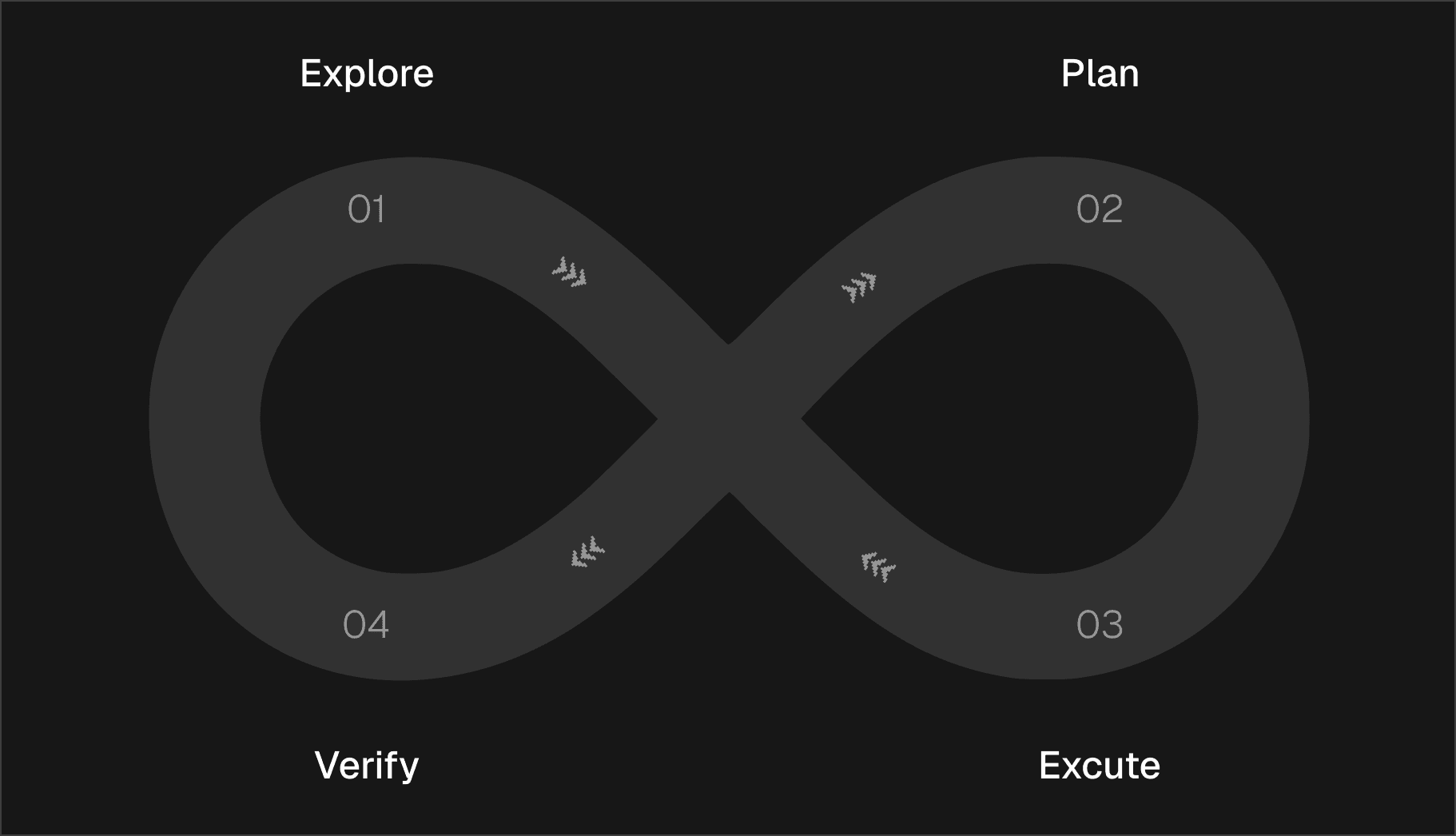
Explore, Plan, Execute, Verify. This is what makes Claude Code predictable instead of chaotic.
Before Claude produces anything, make sure it understands the context.
This prevents the most common failure mode: Claude generating content that ignores your existing work, your audience, or constraints you mentioned two messages ago.
Point Claude to the relevant files. Have it read your brand guidelines, check your previous content, look at your notes. Never let Claude create from a blank slate when context exists.
For anything beyond a quick one-liner, ask Claude to outline its approach first. This is the single biggest quality lever.
The most expensive mistake: skipping the plan on a "simple" task. Claude will happily generate 2,000 words of content that misses the point entirely. A 30-second plan prevents a 30-minute rewrite.
A good plan includes: what Claude will create, the structure it'll follow, which reference files it'll use, and what the output will look like.
Once the plan looks right:
Every output should pass your Definition of Done before you consider it finished. Does it match your brand voice? Is it the right length? Does it actually say something useful?
Build this into your CLAUDE.md so Claude checks itself — not because you remembered to ask.
MCP (Model Context Protocol) lets Claude Code talk to external tools you already use — Google Sheets, Notion, your CRM, email platforms. Instead of copying and pasting data between tools, Claude can read from and write to them directly. For setup instructions, see the MCP Tools section in the Beginner's Guide.
Imagine telling Claude: "Pull our latest campaign data from the Google Sheet, cross-reference it with leads in our CRM, and draft a performance summary." With MCP, Claude can actually do this — no manual data wrangling. See How to Run Your Entire Business with Claude Code for real examples of this in action.
| Tool | What Claude can do |
|---|---|
| Google Sheets | Read campaign data, update tracking sheets, create reports |
| Notion | Read meeting notes, update content calendars, pull research |
| CRM (Attio, HubSpot) | Look up contacts, enrich lead data, update records |
| Email (Instantly, Resend) | Pull campaign analytics, manage lead lists |
| Research prospects, draft posts, check engagement |
Don't connect everything at once. Each connection takes up space in Claude's memory. The rules:
CLAUDE.md so your team knows what's availableEvery feature in this guide — CLAUDE.md, commands, skills, MCP — exists partly to manage one reality: Claude's memory fills up. And when it fills up, things go sideways quietly.
If you're starting something unrelated to what Claude was just working on, type /clear first. Always.
The cost of re-establishing context is lower than the cost of Claude referencing stale information from a previous task. Every time.
If you want to keep the current conversation going but Claude seems to be slowing down or losing track:
/compact Keep the content plan and brand voice notes. Drop the research.
But compaction is lossy — you can't fully control what gets kept. When in doubt, /clear and start fresh.
/clear between unrelated tasksCLAUDE.md concise — every extra line costs space every session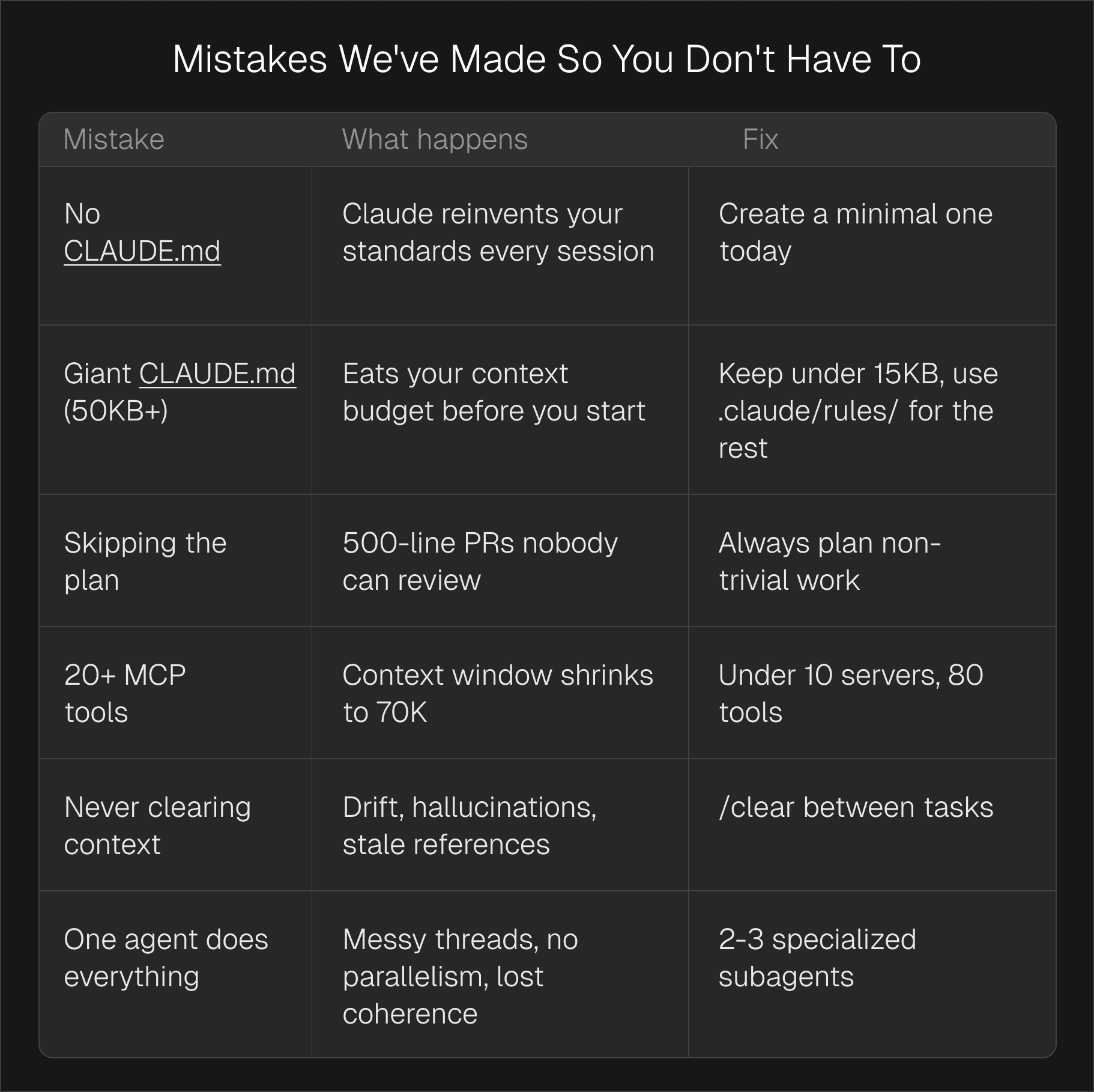
| Mistake | What happens | Fix |
|---|---|---|
No CLAUDE.md | Claude reinvents your standards every session | Create a minimal one today |
Huge CLAUDE.md | Uses up Claude's memory before you even start | Keep under 15KB, use .claude/rules/ for the rest |
| No skills installed | Claude gives generic outputs instead of expert-level work | Add skills for your core workflows (copy, email, content) |
| Skipping the plan | 2,000 words of content that misses the point | Always plan non-trivial work |
| Connecting too many tools | Claude's memory shrinks, quality drops | Start with 1-2 MCP connections |
| Never clearing context | Drift, stale references, off-brand outputs | /clear between tasks |
| Doing everything in one session | Claude loses track, outputs degrade | One task per session, use commands for consistency |
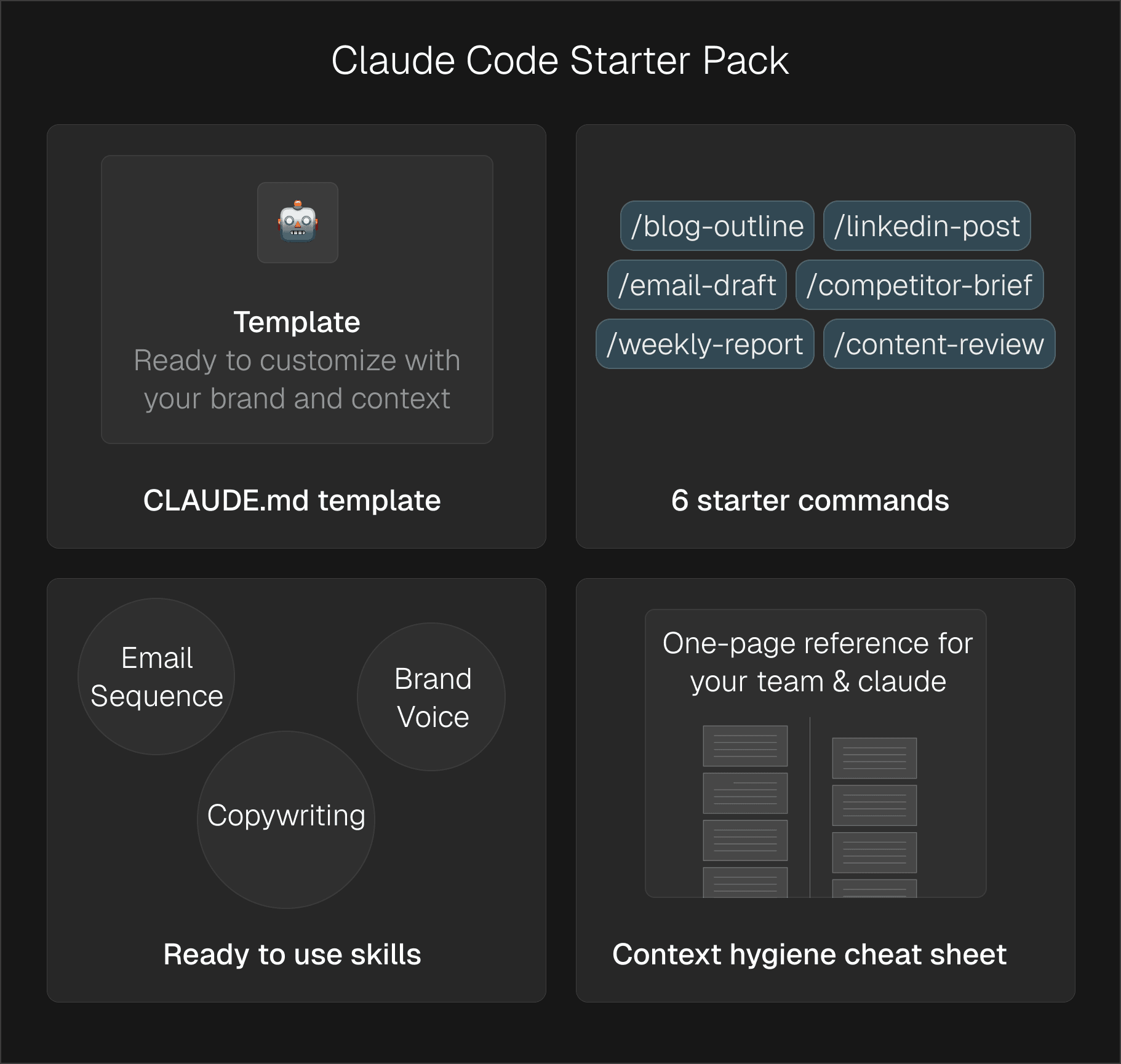
We packaged everything from this guide into files you can drop into your project today:
CLAUDE.md template — ready to customize with your brand and context/blog-outline, /linkedin-post, /email-draft, /competitor-brief, /weekly-report, /content-reviewDrop your email and you'll get instant access to the full pack.
Reduce carrier portal rekeying with AI that extracts ACORD data and powers automated carrier submissions across portals.

Stop copy-pasting prompts. Learn how to build, share, and maintain an AI agent skill library across Claude.ai, Claude Code, and your entire team.


Set up Claude Code memory with CLAUDE.md files. Persistent instructions, project conventions, and team-shared context across sessions.


The deployment runbook for rolling out Claude Code across a team — plan structure, shared CLAUDE.md, Skills, MCP, Subagents, onboarding, and measuring ROI. Plus the five rollout mistakes to avoid.

Everything you need to know about Claude Code Skills — what they are, how SKILL.md works, when to use Skills vs MCP vs Subagents, how to build your first skill, and how to share them across a team.


Speed up client emails and renewal follow-ups with an AI drafting system that keeps communication consistent.